Create Your Blog Site
This is where you design the "front door" of your blog - the title, description, and overall setup that visitors will see. Think of this as creating your blog's business card: you want it to clearly communicate what you're about and why people should read your content.
Step 1: Go to Sites> Client Portal > Blogs> Create Blog
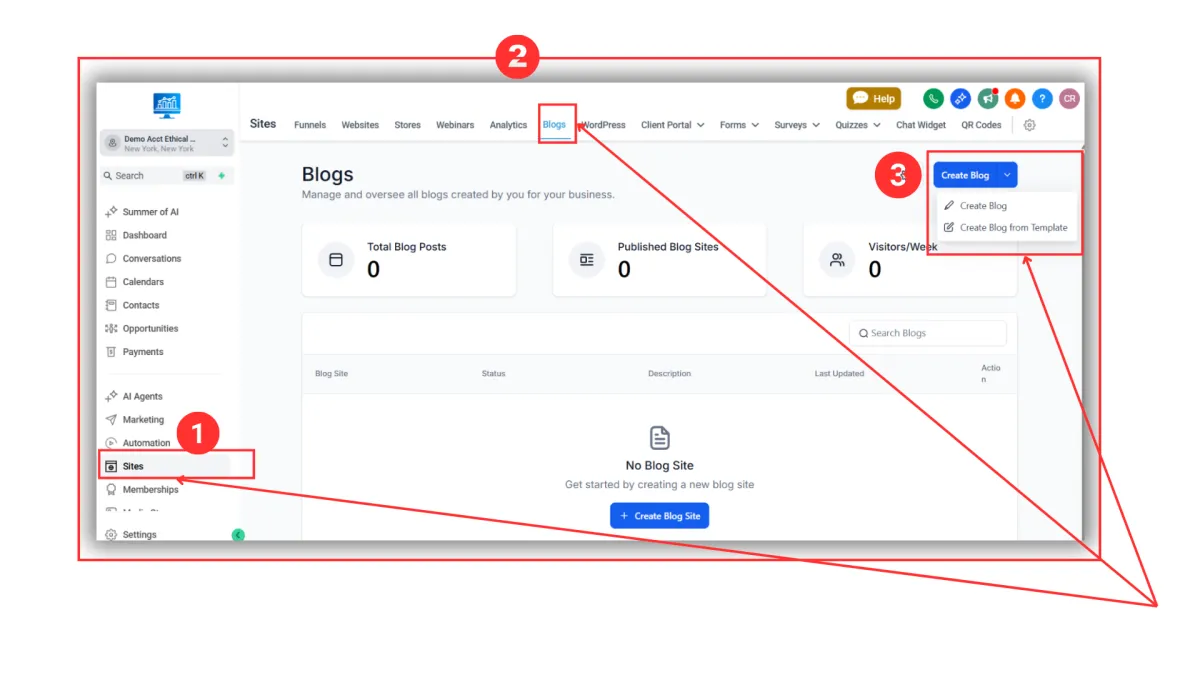
Step 2: A new page opens. From here, you need to fill out all the needed information for the following:
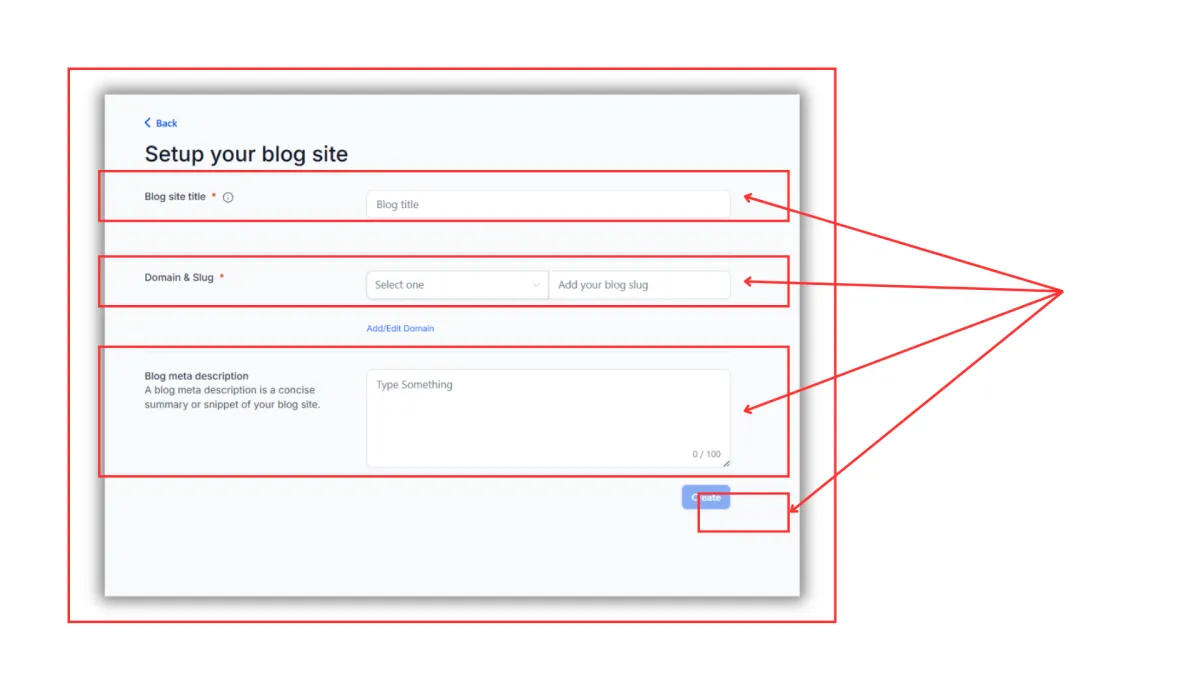
Blog site title: (e.g., "Transform Your Life Today")
Domain & Slug: Select your connected domain
Blog meta description: Your SEO description