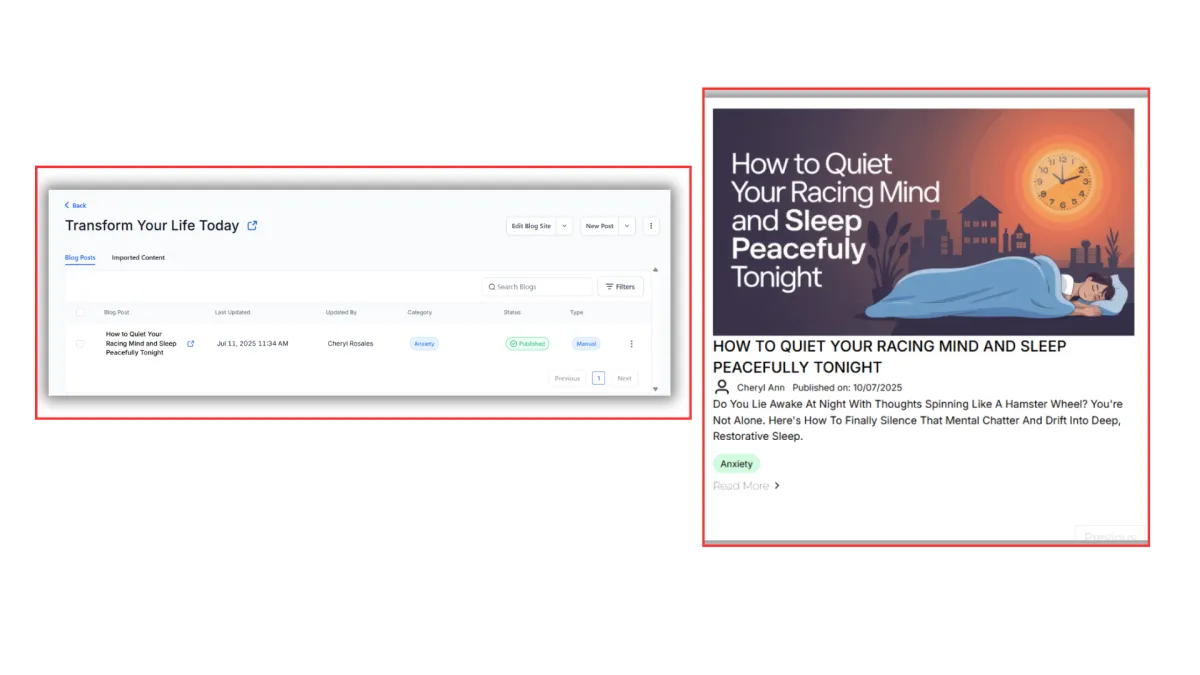
Create Your First Blog Post
Congratulations! Your blog is now live and ready for content. This final step opens up the blog editor where you can write, format, and publish your posts. From here, you can share your expertise, connect with your ideal clients, and start building your authority in your field.
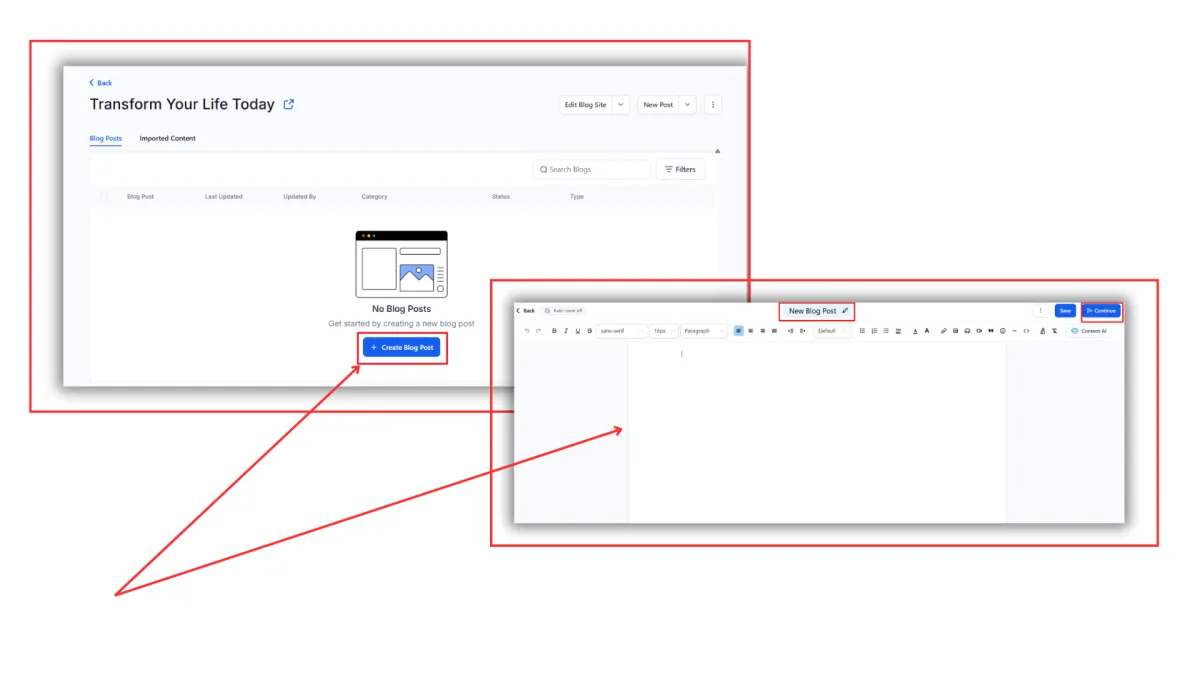
Step 1: Click on the "Create Blog Post" button.
Step 2: A new page opens and you're given a blank canvas! The CRM's blog builder works just like your regular word document. You can add images, videos, and audio files wherever you want in the blog.
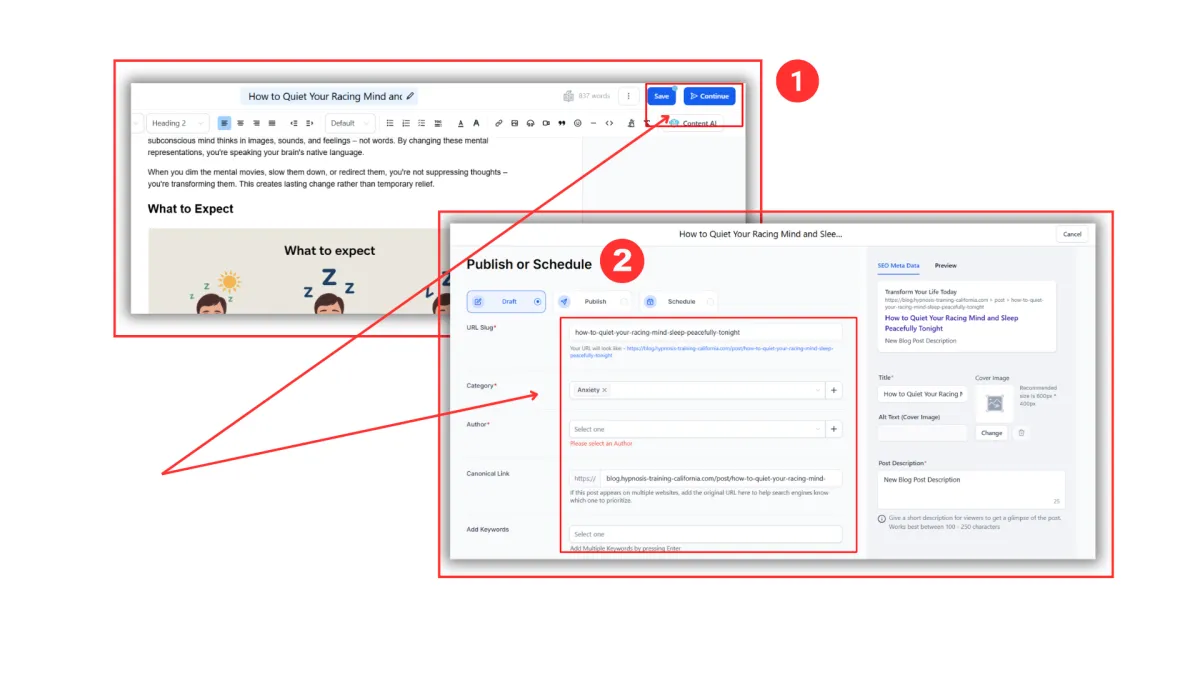
Step 3: Once you're ready to publish, click on "Save" and "Continue".
Step 4: A new page will open, it will then ask you to create the URL Slug, choose the category and author, and to add a Canonical Link and Keywords.
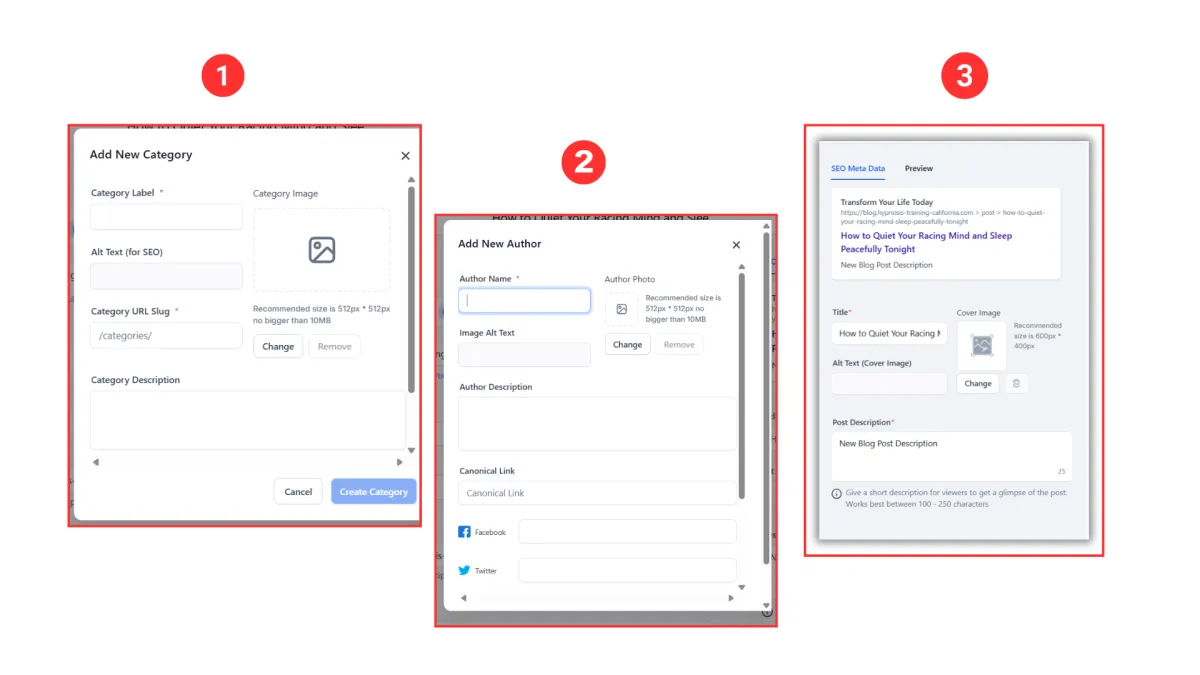
Step 5: For your first blog, you'll be asked to create "Category" and "Author" and "SEO Meta Data". For the Category and the Author, click on the plus + button and add the details each pop-up box needs. For SEO Meta Data, you need to come up with the Title and Post Description. Take note of the character limits.
Step 6: Click "Publish" and you're done! You just published your first blog.